Projects and workflow
Keep context, approvals, implementation, and evidence connected throughout a project.
Pick a starting point
Quick work starts one direct work item in the main agent. Use it when the scope is already clear.
Import issues brings existing scope from GitHub or Linear into ACPDash. Source links, statuses, and dependencies stay attached to imported issues. Importing prepares the work; you still start or approve it before implementation.
Create plan begins with saved context, then an agent-written technical plan. Plan approval and issue approval are separate decisions.
Review a plan
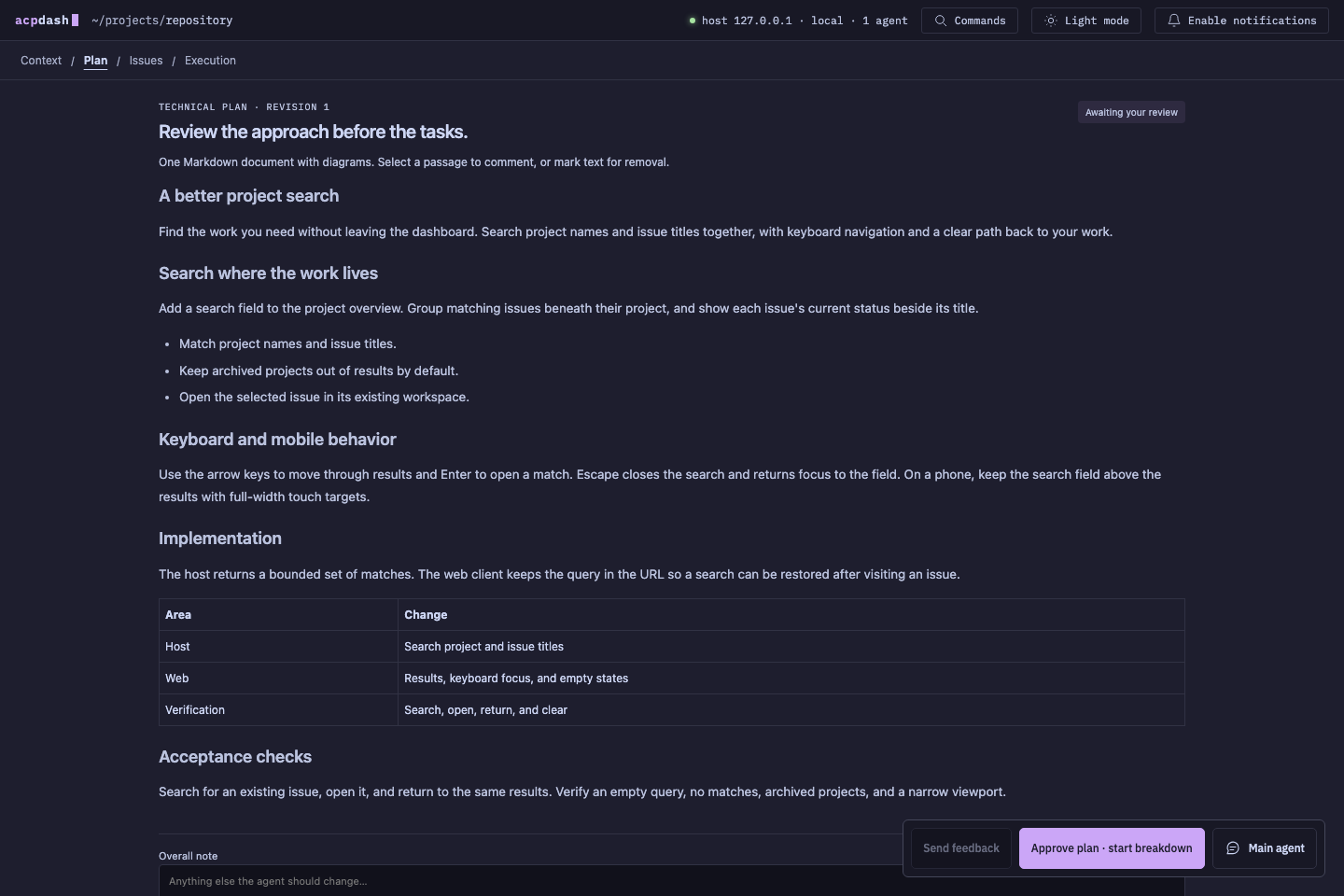
Read the free-form Markdown document in the Plan stage. Select exact text to attach a comment or mark it for removal. A removal mark preserves the original text with a strike-through. Overall notes apply to the document as a whole.
Send feedback to request a revision. When you approve the plan, the main agent splits the accepted approach into technical issues. Review the proposed outcomes, scope, acceptance criteria, and dependencies before approving those issues.
Approved scope is frozen. Later changes go through feedback and a new revision so requirements and verification continue to refer to the same work.
Run the work
In Build mode, the main agent schedules approved issues with accepted prerequisites. Independent issues can run in parallel. A child agent gets a separate conversation and worktree, and works on its assigned issue.
A dependency means one issue needs another’s accepted result. A parent relationship groups related work but does not, on its own, create an implementation dependency. Tracking issues summarize their children and do not launch workers.
For an accepted prerequisite with an unmerged pull request, dependent work can start from its current tested head and target the prerequisite branch. If the prerequisite has merged, the dependent work uses the updated base branch. Each child keeps its own branch and pull request.
Answer requests
Needs you identifies unanswered questions or a failed run that has stopped. Questions and permissions take priority over ordinary activity labels. Answer the request in the affected conversation so the decision remains attached to its context.
Activity labels such as Reviewing changes or Gathering proof describe what an agent is doing. They do not grant approval or prove completion.
If a repository sets a command failure limit, an exhausted check also asks for your input through Needs you. Answer that specific question with corrective feedback to restore attempts. See preflight and retries.
Accept or revise a result
Inspect the published proof before judging a result. Work can be accepted automatically after execution and required verification finish, unless result approval is enabled. Accepted results allow dependent issues to become eligible.
Send feedback when a result needs changes. A new implementation commit needs fresh verification. A change to the observed pull request head makes earlier proof outdated until it matches a newly tested commit.
Read verification and proof for check records, Cucumber scenarios, and closeout requirements.
Reporting a result does not end the agent’s responsibility for configured CI and review requirements. Fixes from pull request feedback need fresh proof when the commit changes. The preflight guide explains which feedback wakes an agent and when it needs your decision.